

courses and workshops
3alamecom · For engineering students and graduates · Online
The software the office asks for before it asks for your GPA
Online paths, courses and workshops in engineering software for engineering students and graduates of Latakia University, arranged by specialty, with every course ending in a project for the student's portfolio.

lessons
paths by specialty
trainees on the 3alamecom platform
Start where you are
Who is this sector for?
Choose an audience to change the suggestions.
Civil engineering
Civil engineering students and graduates: structures, project management, roads and water.
What holds them back
- Offices ask for ETABS and quantity take-off from day one
- Reconstruction projects need planning and pricing
- The graduation project needs a complete model
Suggested courses for Civil engineering
All courses-

AutoCAD 2D
The shared foundation of every engineering specialty: drafting and producing construction drawings.
Coming soon
-

ETABS: Building Analysis & Design
Modelling a multi-storey concrete building, analysing it and designing its members.
Coming soon
-

Quantity Surveying & Pricing
From the drawing to the bill of quantities and the cost estimate. In direct demand on repair and reconstruction projects.
Coming soon
Architecture
Architecture students: drafting, modelling, visualization and a portfolio.
What holds them back
- Studio projects need fast visualization
- The market is moving to Revit
- A portfolio is required for internships and jobs
Suggested courses for Architecture
All courses-
AutoCAD 2D
The shared foundation of every engineering specialty: drafting and producing construction drawings.
Coming soon
-
Quantity Surveying & Pricing
From the drawing to the bill of quantities and the cost estimate. In direct demand on repair and reconstruction projects.
Coming soon
-
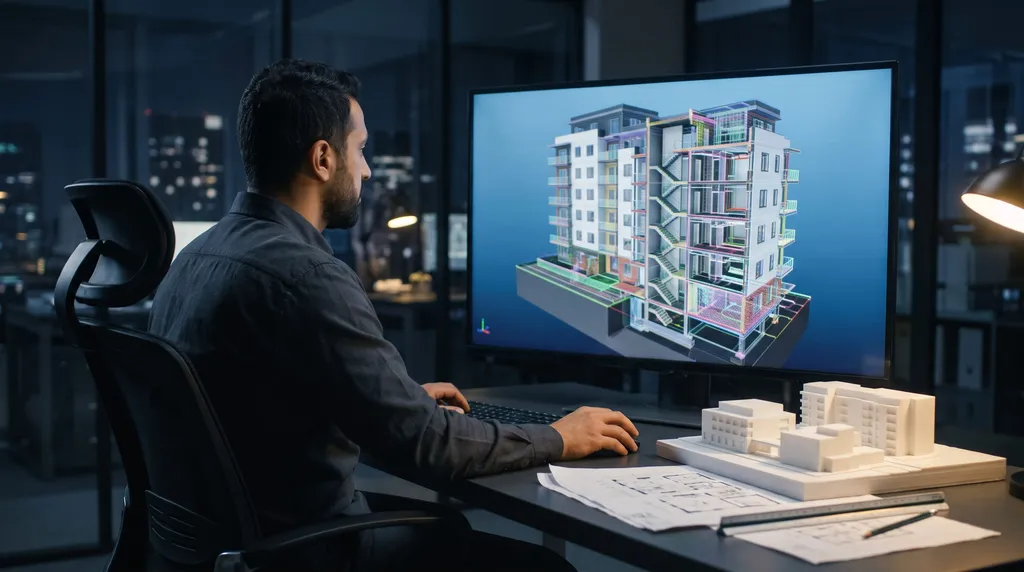
Revit Architecture
Complete architectural modelling with BIM, from the massing to the sheets.
Coming soon
Mechanical engineering
Mechanical students: design, analysis, HVAC and energy.
What holds them back
- Designing parts and producing manufacturing drawings
- Simulation for the graduation project
- The HVAC and solar energy market
Suggested courses for Mechanical engineering
All courses-
AutoCAD 2D
The shared foundation of every engineering specialty: drafting and producing construction drawings.
Coming soon
-

SolidWorks: Mechanical Design
Modelling parts and assemblies and producing manufacturing drawings.
Coming soon
-

MATLAB & Simulink
Numerical programming and simulation, a foundation for control and communications graduation projects.
Coming soon
Electrical engineering
Electrical, electronics and control students.
What holds them back
- Solar system design is in high demand
- Electrical drawings and studies for buildings
- Industrial control and hands-on graduation projects
Matching paths
Suggested courses for Electrical engineering
All courses-
AutoCAD 2D
The shared foundation of every engineering specialty: drafting and producing construction drawings.
Coming soon
-
MATLAB & Simulink
Numerical programming and simulation, a foundation for control and communications graduation projects.
Coming soon
-

Solar Energy System Design
Sizing and designing home and commercial systems. In high demand on the local market.
Coming soon
Informatics engineering
Informatics students who want a skill they can put to work right away.
What holds them back
- University is theoretical and the market asks for projects
- Remote work needs a portfolio
- Choosing one path and focusing on it
Matching paths
Suggested courses for Informatics engineering
All courses-
MATLAB & Simulink
Numerical programming and simulation, a foundation for control and communications graduation projects.
Coming soon
-

Python from Scratch
A first language for every engineer: programming, automation and data analysis.
Coming soon
-

Excel for Engineers
The calculation, quantity and report sheets an engineer needs every day.
Coming soon
Step-by-step paths
All paths
Training paths
Each path is an ordered series of courses that ends with a clear professional outcome. Open a path to see its steps.
-
- Civil
Structural engineer
From drafting to a complete structural model with its drawings and quantities.
-
- Civil
- Architecture
Project management & execution
For those heading to the site, planning and pricing.
-
- Civil
Roads & infrastructure
Road and network design and spatial analysis.
-
- Architecture
The complete architect
Drafting, then modelling, then visualization, then a portfolio.
-
- Architecture
- Civil
- Mechanical
- Electrical
Multidisciplinary BIM
One building model across all its disciplines.
-
- Mechanical
Mechanical design & analysis
From the drawn part to the analysed part.
-
- Mechanical
HVAC & building systems
Designing the mechanical systems of buildings.
-
- Electrical
Electrical power & energy
Building electrical studies, solar energy and power systems.
-
- Electrical
- Mechanical
Control & automation
From simulation to a working prototype, then industrial control.
-
- Informatics
The job-ready programmer
A language, a database, a published app and teamwork.
First launch
All courses
First launch courses
-
AutoCAD 2D
The shared foundation of every engineering specialty: drafting and producing construction drawings.
Coming soon
-
ETABS: Building Analysis & Design
Modelling a multi-storey concrete building, analysing it and designing its members.
Coming soon
-
Quantity Surveying & Pricing
From the drawing to the bill of quantities and the cost estimate. In direct demand on repair and reconstruction projects.
Coming soon
-
Revit Architecture
Complete architectural modelling with BIM, from the massing to the sheets.
Coming soon
-
SolidWorks: Mechanical Design
Modelling parts and assemblies and producing manufacturing drawings.
Coming soon
-
MATLAB & Simulink
Numerical programming and simulation, a foundation for control and communications graduation projects.
Coming soon
-
Solar Energy System Design
Sizing and designing home and commercial systems. In high demand on the local market.
Coming soon
-
Python from Scratch
A first language for every engineer: programming, automation and data analysis.
Coming soon
Short content
All workshops
Focused workshops
From 3 to 8 hours, each one tackles a single problem and ends with a ready-to-use practical file.

Graduation Project: From Idea to Defence
Choosing the topic, the work plan, documentation and preparing for the defence.
Coming soon

Presenting Your Graduation Project
A workshop by the 3alamecom team: designing the presentation and presenting to the committee.
Coming soon

Engineering CV & Portfolio
How a student shows their projects to land an internship or a first job.
Coming soon
How it works
From purchase to certificate
-
01
Purchase
From the course page on the 3alamecom platform
-
02
Activation
Once payment is confirmed, the content opens right away
-
03
Lessons
Recorded videos the trainee follows along with on their own computer
-
04
Project
A final project assessed by the trainer
-
05
Certificate
With a verification code, and the project goes into the portfolio
Who trains you
Practising engineers teaching what they use every day
Every course is given by an engineer working in the specialty, who teaches the software the way offices and sites really use it and assesses your final project with an employer's eye. The trainer's photo, profile and work appear on each course page.
With every course
- Exercise files for every unit
- The final project file and its reference drawings
- Ready-made templates and settings for the software
- A PDF summary of commands and shortcuts
FAQ
Before you start
Are the courses in person or online?
All training is online: recorded lessons you watch when it suits you and follow along with on your own computer, and they stay available after purchase.
Do I need previous experience with the software?
Most courses are for beginners, and some need a university subject or an earlier course. Each course page states its level and requirements, and each path page orders the courses from the easiest to the deepest.
What computer do I need?
A computer that runs the software is enough. Visualization and analysis software such as 3ds Max, Lumion and ANSYS needs a suitable graphics card, and the course page says so before you buy.
Will I get a certificate?
Yes. Once you finish the lessons and your final project is accepted, you receive a certificate with a verification code that anyone can check on the certificate verification page of the 3alamecom platform.
Can a whole class or office team be trained?
Yes. We offer faculties, student bodies and engineering offices group accounts, with closed live sessions when needed. Ask for an offer on the «For faculties and offices» page.
Start with the software your specialty asks for.
Pick one course, or a complete path that ends with a portfolio for your first office.
